
Flight School Google Ads: 3 Steps to Stop Wasting Clicks
TL;DR · The short answer4 key points
- Optimizing flight school Google Ads requires eliminating budget leaks across keywords, landing pages, and lead follow-up.
- Filter out simulator hobbyists and career browsers by utilizing phrase match types and aggressive negative keyword lists.
- Direct ad traffic to high-converting landing pages that feature clear pricing and a single discovery flight booking action.
- Connect form submissions immediately to phone calls and log enrollment outcomes to train ad platform algorithms effectively.
Budget leaks in flight school Google Ads rarely show up where owners look. The monthly invoice shows spend, not the searches that were never going to enroll. A prospect types a training query, your ad wins the click, and then nothing happens.
The usual fix is to bid lower or pause the campaign. That treats the symptom. The money is leaking at the keyword layer, the landing page, and the follow-up, and each leak stays invisible on a spend report.
This article gives you three steps to audit those leaks in order. You’ll learn which searches to block, what the landing page must do instead of listing courses, and how to close the gap between a form fill and a booked discovery flight.
Why Flight School Ads Leak Budget Before the Call
Flight school Google Ads spend rarely disappears in one dramatic failure. It drains at three separate points, and the monthly invoice hides all of them.
The first leak sits in the keyword layer. A broad match term like “how to become a pilot” pulls in career browsers, simulator hobbyists, and people pricing out a dream they will never book. That search costs the same as one from a prospect ready to schedule a discovery flight.
The second leak is the landing page. Send a click to a course catalog and the prospect lands on a wall of program descriptions that answers a question they never asked. Someone searching for intro flight pricing wants a price and a booking button, not a curriculum PDF. The vocational flight programs document on simulator training shows how much detail a real training pathway carries, which is why dumping it on a first-click page overwhelms the visitor.
The third leak happens after the form fill. A lead sits in an inbox until someone checks it the next morning, and by then the prospect has called a competing school. This is where flight school lead generation stalls most often, and no spend report will show it.
A click is not a lead, and a lead is not a discovery flight. Cost per click tells you what you paid for traffic. It says nothing about what happened next.
Tracking the whole chain changes the picture. The school that measures clicks to leads to booked flights finds the leak fast, because the drop-off point is obvious once the chain is visible. Each of the three steps that follow audits one leak in order. Skip one and the other two still bleed.
Step 1: Build a Keyword List That Filters Tourists
Your flight school Google Ads account fails at the search box before it fails anywhere else. The searches you pay for decide who lands on your page, and a list built without filters buys browsers instead of students.

Step 1. Separate training terms from curiosity terms. Pull your search terms report and sort every query into two piles. “Private pilot license cost” and “instrument rating near me” belong in the training pile. “How to become a pilot” and “pilot salary” belong in the curiosity pile.
Step 2. Cut the simulator seekers and career browsers. Flight simulator hobbyists, drone pilots, and people pricing airline careers will click your ad and never enroll. Add them to a shared negative list so every campaign inherits the block.
Step 3. Build one intent per ad group. Group discovery flight searchers apart from career-track searchers. A prospect hunting a $99 intro flight and one comparing Part 141 programs need different ads and pages.
Step 4. Lock match types to your budget. Phrase and exact match keep spend tight while your negative list matures. Broad match without negatives is a donation to people who were never going to book.
Step 5. Audit the negative list monthly. New curiosity terms surface every intake cycle. The Google Ads API guide to negative keywords shows how automated campaigns apply shared exclusion lists at scale.
This keyword layer is where local SEO versus paid ads stops being a debate. Organic traffic rewards broad informational searches; paid search should only buy intent that converts.
BrightLine Digital builds this layer as part of its Google Ads and paid search work for aviation clients, so the filters come from someone who knows which searches become students. A filtered list changes what your budget buys: every dollar chases a prospect with a training goal, not a hobbyist with a browser tab.
Step 2: Send Clicks to a Page That Books Flights
A flight school Google Ads click lands on a page with two jobs: confirm the price and book the discovery flight. Skip that and the click dies in a course catalog nobody asked for.
Step 1. Put the price range above the fold. A prospect comparing flight schools bounces the moment they hit a contact form with no cost signal, because silence reads as expensive.
Step 2. Make the discovery flight the single next action. One button, one form, one phone number. Every extra link splits attention and costs you the booking.
Step 3. Strip the competing calls to action. A page offering a discovery flight, a full application, and a brochure download at equal weight gives the prospect three ways to leave without booking.
Step 4. Match the ad headline to the page headline word for word. A prospect who clicks “Discovery Flight in a Cessna 172” and lands on “Welcome to Our Flight Academy” thinks they hit the wrong site.
Step 5. Cut the form to name, phone, and a preferred time. Every extra field is a reason to close the tab, and your team can collect the rest on the call.
Step 6. Test the page against the old one before you spend another dollar. Run both for a set period and keep the version that produces booked flights, not form fills.
Fix this layer and the same budget produces more discovery flights, which is the whole point of flight school enrollment marketing. The page is where a click either becomes a student or becomes a receipt.
Step 3: Close the Gap Between Lead and Enrollment
The form fill is not the finish line. It is the moment your flight school Google Ads budget depends on a human picking up a phone. Three gaps open here: speed, channel, and feedback.
The first call beats the first email
Intent decays fast. A prospect who submitted a form at lunch is comparison-shopping by dinner. A call placed while the search is fresh catches the person, not the inbox. Email puts your discovery flight offer behind a hundred others.
Confirm the discovery flight out loud
Booking by email invites a silent stall. A prospect who says yes on the phone has committed verbally, and verbal commitments survive the week. Have the caller read the date and time back for a spoken confirmation. That exchange converts more seats than any automated reminder.
Log the outcome against the keyword
Ad platforms optimize toward whatever you tell them counts. If every form fill reports as a conversion, the algorithm hunts for form fillers, not students. Tag each lead with the search term that produced it and mark the ones that enrolled. Without that loop, the account keeps buying leads it cannot convert. You also never learn which terms to cut.
Build the handoff before you spend
Assign one person to own the call, with a script naming the discovery flight price and next available slot. A school running flight school marketing that fills classes treats this handoff as part of the campaign, not an afterthought. The ad account is only as good as the follow-up behind it.
The Campaign Mix That Keeps Budget Working
Four campaign types can carry a flight school Google Ads account, and each one fails in a different way. The comparison matters because a school that runs all four badly wastes more than a school that runs two well.
The first constraint is structural. Aviation training is not an eligible category for Local Services Ads, so there is no pay-per-lead safety net for a flight school. Budget has to work harder inside search and remarketing.
Search wins the base budget, and remarketing earns the second slice. A single-location school with a working front desk should run search plus call-focused campaigns before touching Performance Max. Multi-location operators chasing international students need search dialed in first, because a blended campaign hides which training terms actually fill seats.
Where Flight School Google Ads Budget Disappears
Flight school Google Ads waste hides in plain sight, especially in a report that only shows spend. Pull the account apart and the same leaks show up at almost every school running its own campaigns.
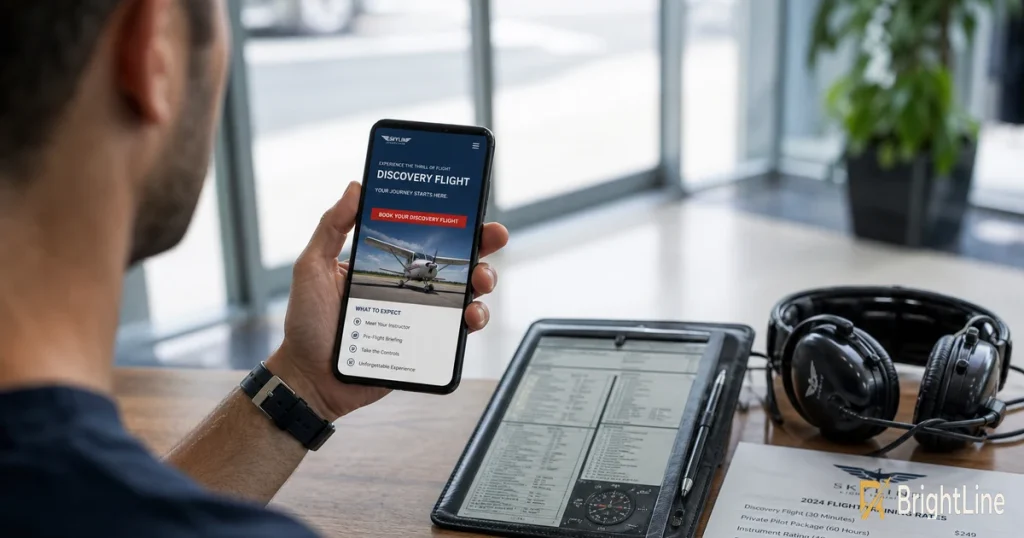
- Broad match, no negatives. A match type handing your ad to anyone typing “pilot” will spend on job seekers and sim hobbyists all week.
- Ads aimed at the homepage. Send clicks to a training page that names the certificate and the price, not a site menu.
- Forms that interrogate first. Ask for a name and phone number, then let the discovery flight conversation collect the rest.
- Phone leads going untracked. Without call tracking, every prospect who dialed instead of typing vanishes from the report.
- Campaigns running past capacity. A full class still collects clicks and burns budget against a waitlist.
- No flight school local SEO behind the ads. A thin Google Business Profile undercuts a campaign depending on nearby searchers trusting you.
Not one leak appears on the invoice, so the school keeps paying and assumes the problem is the bid strategy.
Fix the cheapest one this week. Open the search terms report, mark queries that could never enroll, and add them as negatives before the next intake. BrightLine Digital reports traffic, rankings, and qualified leads monthly, so the school sees which leak is still open instead of guessing.
Who Should Run Flight School Google Ads In-House
Two paths exist for flight school Google Ads: a staffer owns the account, or an aviation-focused agency runs it. The deciding factor is not cost. It is whether anyone on your team can read a search terms report and know which queries belong to a future student versus a career browser.
Keeping the account in-house works when the school runs one location with steady demand. A staffer who checks the account weekly can catch runaway broad match and pause a campaign during a full intake. The in-house model fails the moment nobody has time to open the dashboard. Accounts left alone for a month quietly spend on terms that never enroll.
Hiring an aviation-focused agency buys speed you cannot staff internally. An agency already knows which searches convert for FAA Part 141 pilot school programs and which belong to simulator hobbyists. BrightLine Digital works only with aviation businesses, so there is no learning curve on Part 141 terminology or enrollment cycles. The trade-off is a monthly fee and dependency on someone outside your building.
Multi-location schools and programs chasing international students should hand the account to a specialist. Compliance complexity and follow-up sequences across time zones overwhelm a part-time staffer. A single-location school with a diligent weekly checker can stay in-house, provided the content strategy for flight schools behind the ads stays current.
Audit One Leak Before Your Next Intake
Wasted clicks are a measurement problem long before they are a bidding problem. Once the search terms report becomes a weekly habit, flight school Google Ads stops being a monthly bill you hope works.
Pull last month’s search terms report and read it line by line. Mark every query that could never enroll, the simulator hobbyists, the career browsers, the people searching for a different school’s name. Add those terms as negatives today, before the next intake cycle starts spending against them.
The audit takes one sitting. Do it now, while the account is quiet and the terms are still fresh. One leak closed this week beats a full rebuild next quarter.
FAQ
Flight School Google Ads Questions Owners Ask
Is there free training for Google Ads?
Yes, Google’s own Skillshop platform offers free courses and certification exams covering Search, Measurement, and Display. The catch is that the curriculum teaches the platform’s features, not the aviation-specific judgment calls like which searches signal a serious student versus a simulator hobbyist.
Is the Google Ads certification worth it?
It carries real value for a resume and almost none for running a flight school Google Ads account well. The exam tests interface knowledge, while the skills that protect your spend are negative keyword discipline and reading a search terms report for enrollment intent.
How much does a Google Ads course cost?
Self-paced courses range from free to a few hundred dollars, and the paid ones mostly repackage the same platform documentation. A better use of that money is a single hour with someone who has managed aviation campaigns and can tell you which of your current keywords will never enroll.
Does Google Ads offer a course?
Google runs its own structured learning path through Skillshop, with separate tracks for Search, Video, and Measurement. Completion grants a certification badge, but nothing in the coursework addresses Part 141 terminology, discovery flight pricing, or the follow-up gap that decides whether a form fill becomes a student.